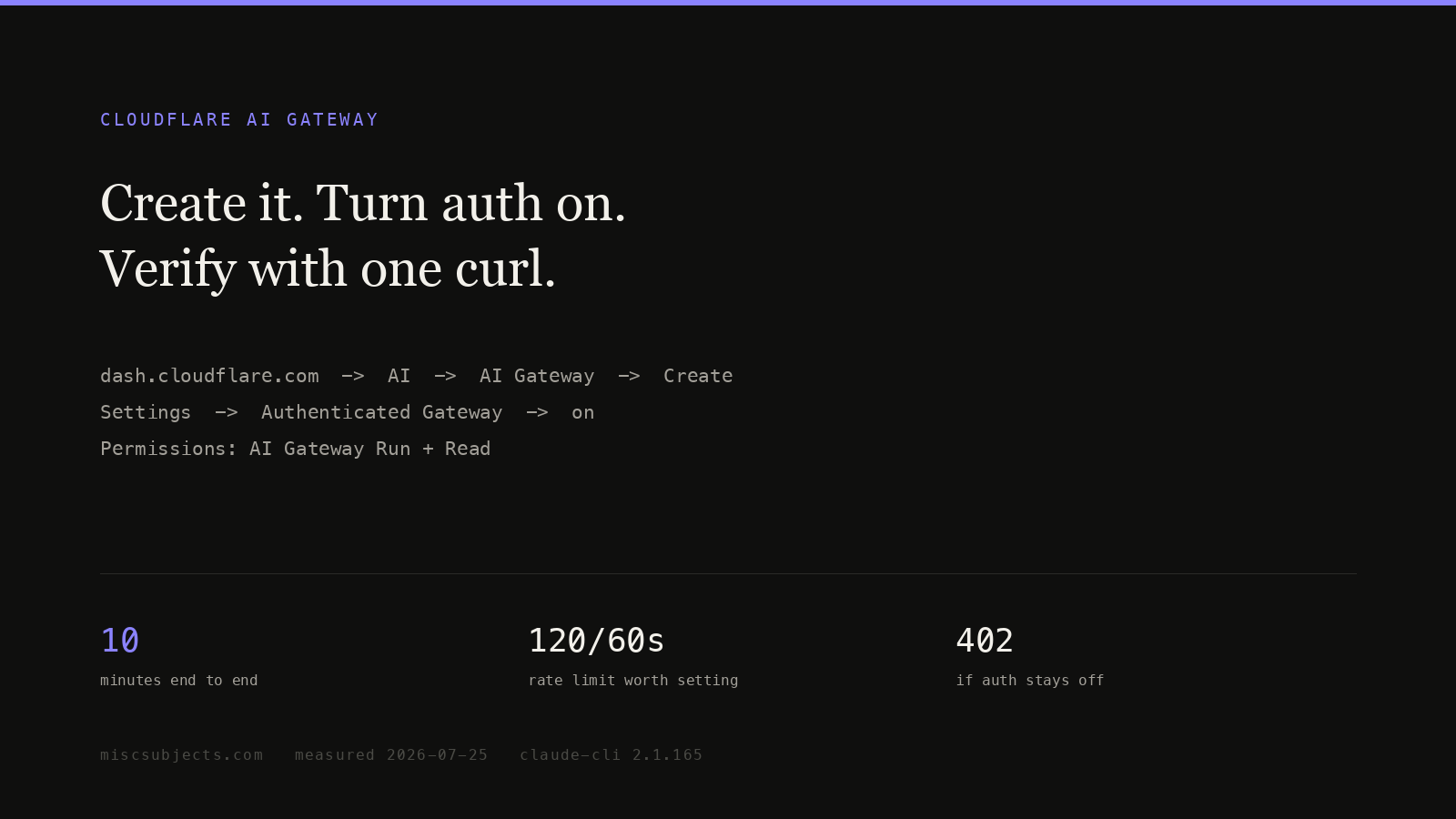
How to create a Cloudflare AI Gateway, with authentication on
Exact dashboard steps to create an AI Gateway, turn authentication on, mint a gateway token, set rate and spend limits, and verify it with one curl command.
An AI Gateway is a URL you send AI requests to instead of sending them to OpenAI, Anthropic, xAI or Cloudflare's own models directly; Cloudflare forwards the request, returns the provider's answer unchanged, and keeps a row recording the model, the token counts, an estimated cost, the duration and the status code. It is not a model, not a router that picks a model for you, and not a billing account on its own — it is a proxy with a ledger, and everything else it does (caching, retries, rate limits, spend caps) is switched on per gateway or per request.
Evidence status
Observed marks first-party measurements or runtime receipts from the named environment. Derived marks arithmetic calculated from cited inputs. Specified marks vendor or standards documentation. Implemented and deployed name code and live-state evidence, respectively. Reproduced means the stated procedure was rerun. Externally attested marks operator reports; those reports show that an experience occurred, not that it is universal.
The gateway called default exists before you create anything
If a request omits the gateway id, the id default is used, and if no gateway by that name exists it is created on the first authenticated request. The settings it is born with are not the ones most guides assume:
Setting on the auto-created default gateway | Value |
|---|---|
| Authentication | On |
| Log collection | On |
| Caching | Off (TTL of 0) |
| Rate limiting | Off |
Caching is off, so any claim that the gateway will cut your bill by serving repeats describes a feature you have not enabled. Authentication is on, so the first thing that happens to a client which cannot send a second HTTP header is a 401. Auto-creation applies only to the id default; any other id must be created first.
Prerequisites, with the exact labels
- A Cloudflare account. The free plan is enough — AI Gateway's core features cost nothing on every plan.
- Your account id. Every dashboard URL is
https://dash.cloudflare.com/<ACCOUNT_ID>/...; the 32-character hex string after the hostname is it.wrangler whoamiprints the same value. It goes in every request URL. - Where the product lives. Sidebar → AI → AI Gateway. Direct link:
https://dash.cloudflare.com/?to=/:account/ai/ai-gateway. - An API token, from
https://dash.cloudflare.com/profile/api-tokens→ Create Token → Create Custom Token → Get started. Under Permissions the rows read exactlyAccount·AI Gateway·Read | Edit | Run. Under Account Resources pick your account, then Continue to summary → Create Token. It is displayed once.
The three permissions are not interchangeable. Read lists gateways and reads settings and logs through the API. Edit creates, updates and deletes gateways, and is required to set cache_ttl or rate limits by API rather than by clicking. Run sends inference through gateway.ai.cloudflare.com, and is what the cf-aig-authorization header carries. None can be narrowed to one gateway:
TheAI Gateway Read,Run, andEditpermissions cannot be restricted to a single gateway — unlike R2, which supports per-bucket scoping. Any token withAI Gateway Runcan send requests through every gateway in the account, including any configured with stored provider keys through Bring Your Own Keys (BYOK), consuming those credentials.
A leaked Run token is therefore an account-wide credential that can spend any provider key you have stored. Isolation between tenants means separate Cloudflare accounts, or a Worker binding instead of a URL.
Creating one: five clicks, or one POST
Dashboard. AI → AI Gateway → Create Gateway → type a Gateway name (64-character limit; the name becomes the gateway id and appears in every request URL) → Create.
API, with a token carrying AI Gateway · Edit:
curl -X POST "https://api.cloudflare.com/client/v4/accounts/<ACCOUNT_ID>/ai-gateway/gateways" \
  -H "Authorization: Bearer <TOKEN>" \
  -H "content-type: application/json" \
  -d '{"id":"coding","cache_ttl":0,"collect_logs":true,
"rate_limiting_interval":60,"rate_limiting_limit":120,"rate_limiting_technique":"sliding"}'What comes back is the gateway's full configuration, the same object GET /ai-gateway/gateways returns. This is the live record for the authenticated gateway on the account measured throughout this page, account id removed:
json23 lines
{
  "id": "default",
  "created_at": "2026-06-11 17:31:56",
  "modified_at": "2026-07-26 02:19:03",
  "rate_limiting_interval": 60,
  "rate_limiting_limit": 120,
  "rate_limiting_technique": "sliding",
  "cache_ttl": 0,
  "log_management": 10000000,
  "log_management_strategy": "DELETE_OLDEST",
  "authentication": true,
  "collect_logs": true,
  "cache_invalidate_on_update": false,
  "logpush": false,
  "wholesale": true,
  "zdr": false,
  "store_id": "",
  "is_default": true,
  "workers_ai_billing_mode": "postpaid",
  "retry_max_attempts": null,
  "retry_delay": null,
  "retry_backoff": null
}Read it as a checklist. authentication: true: every request needs a credential. cache_ttl: 0: nothing is cached unless a request asks. rate_limiting_limit: 120 with interval: 60, technique: "sliding": no more than 120 requests in any trailing 60 seconds. log_management: 10000000 with DELETE_OLDEST: the ten-millionth log evicts the first rather than stopping collection.
Three URL shapes, and two of them are deprecated
| Shape | URL | Status | Auth |
|---|---|---|---|
| Provider-native | https://gateway.ai.cloudflare.com/v1/<ACCOUNT_ID>/<GATEWAY_ID>/<PROVIDER>/<provider path> | Current | Provider's own key, plus cf-aig-authorization when the gateway is authenticated |
| OpenAI-compatible on the gateway host | https://gateway.ai.cloudflare.com/v1/<ACCOUNT_ID>/<GATEWAY_ID>/compat/chat/completions | Deprecated, still works | Same |
| Cloudflare REST API | https://api.cloudflare.com/client/v4/accounts/<ACCOUNT_ID>/ai/v1/chat/completions | Current, recommended for new work | Authorization: Bearer <TOKEN> |
The old Universal Endpoint — POST https://gateway.ai.cloudflare.com/v1/<ACCOUNT_ID>/<GATEWAY_ID> with an array of provider objects as the body, each carrying provider, endpoint, headers and query, tried in order as fallbacks — is deprecated too; fallback and retry work now points at Dynamic Routing.
Model support across the four REST endpoints is not uniform:
| Endpoint | Body format | Third-party models | Workers AI @cf/ models |
|---|---|---|---|
POST /ai/run | {"model":…,"input":{…}} | Yes | Yes, with cf-aig-gateway-id |
POST /ai/v1/chat/completions | OpenAI chat completions | Yes | Yes, with cf-aig-gateway-id |
POST /ai/v1/responses | OpenAI Responses | Yes | Model-dependent |
POST /ai/v1/messages | Anthropic Messages | Yes | No |
Third-party models are named author/model (openai/gpt-4.1, xai/grok-3). Cloudflare-hosted models are @cf/author/model and reach a gateway only when the request carries cf-aig-gateway-id; without it the call still runs, it is simply not logged, cached or rate-limited by any gateway.
A token the REST API accepts is refused by the provider-native host
The two hosts do not check the same thing, and the failure gives no hint.
A. Provider-native host, authenticated gateway, no cf-aig-authorization:
curl -sS -X POST "https://gateway.ai.cloudflare.com/v1/<ACCOUNT_ID>/default/workers-ai/v1/chat/completions" \
  -H "Authorization: Bearer <TOKEN>" -H 'content-type: application/json' \
-d '{"model":"@cf/moonshotai/kimi-k2.7-code","max_tokens":8,"messages":[{"role":"user","content":"hi"}]}'{"success":false,"result":[],"messages":[],"error":[{"code":2009,"message":"Unauthorized"}],
"name":"AiGatewayError","httpCode":401,"internalCode":2009,"message":"Unauthorized"}B. The same call with -H "cf-aig-authorization: Bearer <TOKEN>" added returns a byte-identical body. The token was a valid Cloudflare token lacking AI Gateway · Run, so a missing header and an under-permissioned token are indistinguishable from the response. Check the header first, then the permissions.
C. REST host, same token, same gateway, same model, no cf-aig-authorization at all:
curl -sS -X POST "https://api.cloudflare.com/client/v4/accounts/<ACCOUNT_ID>/ai/v1/chat/completions" \
  -H "Authorization: Bearer <TOKEN>" -H "cf-aig-gateway-id: default" \
  -H 'content-type: application/json' \
-d '{"model":"@cf/moonshotai/kimi-k2.7-code","max_tokens":12,"messages":[{"role":"user","content":"Say OK"}]}'{"id":"id-1785040709314","object":"chat.completion","created":1785040709,
"model":"@cf/moonshotai/kimi-k2.7-code",
"usage":{"prompt_tokens":10,"completion_tokens":12,"total_tokens":22,
"prompt_tokens_details":{"cached_tokens":0},"neurons":5.227272987365723}}HTTP 200, logged on the authenticated gateway. The rule: AI Gateway · Run is a requirement of the gateway.ai.cloudflare.com host, not of authenticated gateways as such.
Authentication breaks every client whose whole config is a base URL and a key
With authentication on, a provider-native request must carry cf-aig-authorization: Bearer <TOKEN> alongside whatever credential the provider itself wants. Cloudflare's behaviour table:
| Authentication | Header | Result |
|---|---|---|
| On | Present | Succeeds |
| On | Absent | Fails |
| Off | Present | Succeeds |
| Off | Absent | Succeeds |
A client whose entire configuration is a base URL and an API key has no slot for a second header. Cloudflare's own container-based coding agent hit exactly that:
When Authenticated Gateway is enabled on the AI Gateway, all requests from Moltworker fail because the required cf-aig-authorization header is never sent.The documented escape hatch — a Worker binding, pre-authenticated by account identity and needing no header — is unavailable when the calling binary lives inside a container that only received a base URL.
The neighbouring failure is the shape of the first header rather than the absence of the second. Anthropic's API wants x-api-key; a client hardcoding Authorization: Bearer gets a 401 that reads like a bad key:
cc-switch currently sendsAuthorization: Bearer <key>for all upstream providers. Cloudflare AI Gateway requiresx-api-key: <anthropic_key>instead, causing 401 errors when trying to use it as a proxy.
That project's fix: detect any base URL containing gateway.ai.cloudflare.com, switch to an x-api-key strategy, add an optional cf-aig-authorization from an environment variable. When choosing a client, that pair of features is what to look for.
The cf-aig-* headers, their defaults, and what each changes
A request-level header always wins over the gateway setting; the gateway setting is the default when no header is sent.
| Header | Default | Observable effect |
|---|---|---|
cf-aig-gateway-id | none | Routes a REST API call through the named gateway. Required for @cf/ models to be logged by a gateway at all. |
cf-aig-authorization | none | Bearer <TOKEN> for the gateway.ai.cloudflare.com hosts when authentication is on. Missing or under-permissioned gives 401 code 2009. |
cf-aig-metadata | none | Up to 5 JSON entries stored on the log row, filterable in the dashboard, queryable as metadataRaw. |
cf-aig-cache-ttl | gateway cache_ttl, 0 on a new gateway | Seconds to keep the response. Minimum 60, maximum one month. |
cf-aig-skip-cache | false | true bypasses the cache for that request. |
cf-aig-cache-key | none | Replaces the default hashed key. With no gateway caching enabled, such a response lives 5 minutes. |
cf-aig-max-attempts / cf-aig-retry-delay / cf-aig-backoff | gateway retry settings, unset on a new gateway | Up to 5 attempts, delay up to 5000 ms, backoff constant, linear or exponential. On the last attempt the gateway waits however long the provider takes. |
cf-aig-request-timeout | none | Milliseconds before the request errors or falls back. Measured from the first byte, so a slow stream does not trip it. |
cf-aig-collect-log | gateway collect_logs | false drops the whole row, metrics included. |
cf-aig-collect-log-payload | true when logging is on | false keeps the metrics and drops the stored request and response bodies. |
cf-aig-custom-cost | none | Overrides the cost figure on the row with your negotiated rates. |
cf-aig-cache-status (response) | — | HIT or MISS. See the caveat below. |
cf-aig-step (response) | — | Which fallback step answered; 0 is the primary. |
The cache key is a hash of the whole request, which is why real traffic never hits it
Cloudflare builds the key by concatenating provider, endpoint path, model, the provider authentication header and the full request body, then hashing with SHA-256. Any byte that moves, moves the key.
An operator who put production support-bot traffic through a gateway measured the consequence:
I was routing support-bot traffic through Cloudflare AI Gateway and noticed the cache hit rate was near zero despite the product being mature.
He pulled 500 consecutive misses, stripped each to the user message, and found 89% mapped to fewer than 30 distinct intents. Request ids, trace ids, timestamps and session wrappers riding in the body moved the keys — not the questions. His answer was a Worker that canonicalises the request before the gateway sees it, with Vectorize for near-matches and a Durable Object per hot key.
The mechanism reproduces in five requests, same gateway, cf-aig-cache-ttl: 300 on all five:
| Request | Body | Result |
|---|---|---|
| 1 | {"model":"@cf/moonshotai/kimi-k2.7-code","max_tokens":8,"messages":[{"role":"user","content":"cache probe alpha"}]} | miss (first fill) |
| 2 | identical to 1 | hit |
| 3 | identical to 1 | hit |
| 4 | same user message, system message requestId=<uuid> | miss |
| 5 | same user message, system message requestId=<uuid> (a different uuid) | miss |
Two hits out of five, and both misses in the second pair carried a question the gateway had already answered. One 36-character field was enough.
Three things follow. Strip request ids, timestamps and session wrappers from the body, or move them into cf-aig-metadata, where they are logged but not hashed. Use cf-aig-cache-key to pin the key to the part of the request that determines the answer. Expect no semantic matching: Cloudflare says caching "applies only to identical requests" and that semantic search is future work.
One measured gap. On the api.cloudflare.com REST host the two cached responses came back without a cf-aig-cache-status header, though the documentation says to read that header to tell a hit from a miss. Their headers were date, content-type, content-length, api-version, cf-ai-neurons, cf-auditlog-id, server and cf-ray — no cf-aig-* at all — while the analytics records both as cached: 1. On that host the analytics is the only cache signal.
Rate limiting is what stands between a leaked token and your balance
Because a Run token reaches every gateway on the account, and Unified Billing spends real credits, the gateway limit is the blast-radius control. AI → AI Gateway → your gateway → Settings → Rate-limiting, then set a count, a period, and fixed or sliding.
The two techniques differ. With ten requests per ten minutes starting at 12:00, a fixed window runs 12:00–12:10 then 12:10–12:20, so ten requests at 12:09 and ten more at 12:11 all succeed; a sliding window rejects the second batch because it counts the trailing ten minutes. Over the limit is 429 Too Many Requests and the request is not forwarded.
The gateway measured here runs 120 per 60 seconds, sliding. Over the 30 days to 2026-07-26 that produced exactly one 429 in 5,252 requests across the account — no obstruction to normal work, and a cap of 172,800 requests a day on a runaway loop instead of no cap at all. Unified Billing adds a ceiling you cannot raise: 200 requests per 60 seconds per gateway.
Logs keep the prompt and the completion, and they are how you audit spend
A row carries the user prompt, the model response, the provider, the timestamp, the status, token usage, cost, duration and the client's user agent. Bodies are stored unless the request sends cf-aig-collect-log-payload: false, which keeps the metrics and drops the text.
| Limit | Value |
|---|---|
| Logs stored, Workers Paid | 10,000,000 per gateway |
| Logs stored, Workers Free | 100,000 across all gateways |
| Size of one log | 10 MB |
| Log write rate | 500 per second per gateway |
| Custom metadata | 5 entries per request |
| Cacheable request size | 25 MB |
| Gateways per account | 10 free, 20 paid |
Retention is a count, not a clock: logs are kept until the gateway hits its storage limit, then either the oldest are deleted (log_management_strategy: "DELETE_OLDEST") or new logs stop being saved.
Two ways to read them without the dashboard. The Logs API, GET /accounts/<ACCOUNT_ID>/ai-gateway/gateways/<GATEWAY_ID>/logs, needs AI Gateway · Read. The GraphQL dataset aiGatewayRequestsAdaptiveGroups needs only account analytics access and produced every measurement here:
curl -sS -X POST https://api.cloudflare.com/client/v4/graphql \
  -H "Authorization: Bearer <TOKEN>" -H 'content-type: application/json' \
  -d '{"query":"query { viewer { accounts(filter:{accountTag:\"<ACCOUNT_ID>\"}) {
        aiGatewayRequestsAdaptiveGroups(limit:20, filter:{date_geq:\"2026-07-26\", gateway:\"default\"}) {
          count dimensions { datetimeMinute model provider statusCode cached durationMs
tokensIn tokensOut cost } } } } }"}'Six real rows from that gateway:
| Time (UTC) | Model | Provider | Status | Cached | Duration ms | Tokens in | Tokens out | Cost USD |
|---|---|---|---|---|---|---|---|---|
| 2026-07-26T04:35 | @cf/zai-org/glm-4.7-flash | workers-ai | 200 | 0 | 7413 | 46 | 587 | 0.00023756 |
| 2026-07-26T04:35 | @cf/zai-org/glm-5.2 | workers-ai | 200 | 0 | 2335 | 53 | 135 | 0.0006682 |
| 2026-07-26T04:35 | minimax/m3 | minimax | 200 | 0 | 1145 | 217 | 68 | 0.00011934 |
| 2026-07-26T04:36 | anthropic/claude-sonnet-4-5 | unknown | 500 | 0 | 677 | 0 | 0 | 0 |
| 2026-07-26T04:37 | anthropic/claude-sonnet-5 | anthropic | 200 | 0 | 406 | 16 | 4 | 0.000072 |
| 2026-07-26T04:37 | anthropic/claude-sonnet-5 | unknown | 400 | 0 | 316 | 0 | 0 | 0 |
Read the failures too. A model id that is not on the catalogue produces provider: "unknown", a 500 and a cost of zero — an attempt logged that never reached a provider. The 400 on the last line is the same shape.
Metadata is stored verbatim, so send something useful. From the same gateway, session identifier removed:
{"via":"claude-code","shim":"api/aig","model_asked":"kimi","session":"<REDACTED>","tools":9}That is what makes cost attributable per agent instead of per account.
What it costs, and the one number people report as wrong
The gateway is free on every plan: dashboard analytics, caching and rate limiting are core features at no charge, and persistent logs are included within the storage limits above. Logpush is Workers Paid only — 10 million requests a month, then $0.05 per million. Unified Billing adds 5% to credit purchases, so a $100 top-up is charged as $105, while per-token inference is the provider's own rate with no markup.
Measured spend on the authenticated gateway, 30 days to 2026-07-26: 107 requests, 651,894 input tokens, 8,342 output tokens, $0.44830454. The second gateway on the same account carried the bulk: 5,145 requests, $32.19921439. Both are the gateway's own cost column summed by GraphQL.
That column is where the complaint sits. Cloudflare labels it an estimate:
The cost metric is an estimation based on the number of tokens sent and received in requests. While this metric can help you monitor and predict cost trends, refer to your provider's dashboard for the most accurate cost details.
A customer running production traffic on flagship image models says it is not merely imprecise:
because Cloudflare AI Gateway is reporting inaccurate/wrong price for flagship models such as Nano Banana 2 and Nano Banana pro (I run production app using those). Been reporting it on discord and twitter, and they don't care.
Both can be true, and together they set the rule: use the cost column for trends and per-agent attribution, reconcile against the provider's invoice before billing anyone, and if you have negotiated rates send cf-aig-custom-cost so the column reflects your contract rather than list price.
The hop costs less than the noise
No Cloudflare-published overhead figure exists; the circulating numbers are community estimates of roughly 10 to 50 ms, and cross-vendor benchmarks are not comparable because "almost every one of these benchmarks clocks proxy forwarding against a mock upstream, which removes the one variable that dominates real requests: the model provider's own response time." Measured here with one model, one prompt, max_tokens: 1, cf-aig-skip-cache: true, six curl -w "%{time_total}" runs each way, the only difference being the cf-aig-gateway-id header: median 0.741 s through the gateway against 0.648 s without, both arms spanning roughly 0.5 to 1.3 seconds. The 93 ms gap sits inside run-to-run variance at n=6 — evidence the hop is too small to separate from jitter, not evidence of a 93 ms tax.
Where the traffic egresses is a failure mode nobody writes down
Cloudflare answers from the point of presence nearest the caller, and the provider sees the request coming from there. If the provider blocks a country Cloudflare has a PoP in, requests fail non-deterministically depending on where they land:
this made Cloudflare's AI Gateway an unusable product, as they hilariously put a node in HK so you never know when your Anthropic request is randomly going to fail defeating the whole purpose behind the product.
No gateway setting pins egress. The mitigations are the REST API host, which terminates on Cloudflare's API rather than the anycast gateway edge; Unified Billing, so the provider sees Cloudflare as the customer; or a Worker with fixed placement calling the provider directly.
Against that, for people whose providers are not geo-blocking them the setup really is small:
We used cloudflare's AI gateway which is pretty simple. Set one up, get the proxy URL and set it through the env var, very plug-and-play
Both reports concern the same product a year apart and neither cancels the other. The gateway is one environment variable of work and a real geographic gamble on Anthropic traffic.
Symptom, cause, fix
| Symptom | Cause | Fix |
|---|---|---|
402 with {"errors":[{"message":"Gateway authentication is required to use unified billing. Enable authentication on your gateway or provide your own API key (BYOK).","code":2021}]} | A third-party model routed through a gateway with authentication: false. @cf/ models on the same gateway keep working, which disguises it. | Turn Authenticated Gateway on, or supply your own provider key. |
401 with {"code":2009,"message":"Unauthorized"} from gateway.ai.cloudflare.com | Either no cf-aig-authorization, or a token without AI Gateway · Run. The body is identical either way. | Add the header; if it is already there, re-mint the token with Run. |
401 from a client that worked against Anthropic yesterday | The client sends Authorization: Bearer where the Anthropic-native path wants x-api-key. | Use a client that switches header shape on gateway.ai.cloudflare.com, or send x-api-key yourself. |
A custom provider request reaches /v1/<path> upstream when base_url has no /v1 | Reported against cloudflare/ai: with base_url https://api.exa.ai and slug exa-provider, POST …/custom-exa-provider/search arrived at /v1/search. | Until it is fixed, set base_url so the prepended /v1 lands on the real path, and verify against the upstream's access log. |
A dynamic route to a Workers AI model returns 400 on the universal endpoint but 200 on /compat/chat/completions | Reported against ai-gateway-provider: same model, prompt and OpenAI-shaped body, two outcomes; reproduced with a raw universal-endpoint request, so it is not the SDK serialiser. | Send dynamic Workers AI routes to /compat/chat/completions, or move to the REST API host. |
| Anthropic requests fail at random and succeed on retry | The request egressed from a PoP in a region Anthropic blocks. | Use the api.cloudflare.com REST host, or Unified Billing, rather than the anycast gateway host. |
429 | Your gateway rate limit, your spend limit, or the 200-per-60s Unified Billing ceiling. | Raise the limit, wait out the window, or split traffic across gateways. |
| Zero cache hits | cache_ttl is 0 on a new gateway, or the body carries a value that changes per request. | Set a TTL, and strip or relocate ids and timestamps. |
| No rows in Logs | collect_logs off, cf-aig-collect-log: false, storage limit reached with DELETE_OLDEST off, or a @cf/ model called on the REST API without cf-aig-gateway-id. | Check the gateway settings, then the header. |
Setup ends where billing and model choice begin
Credits, the 5% fee and what Unified Billing does and does not cover: Cloudflare Unified Billing. Which @cf/ models are worth pointing a coding agent at and what they cost: Workers AI coding models. Wiring a coding agent to a gateway end to end, including non-Anthropic models behind an Anthropic-shaped client: Claude Code on Kimi, GLM or Grok through your own Cloudflare account.
Caching applies only to identical requests.
Set one up, get the proxy URL and set it through the env var, very plug-and-play
References (21)
- Cloudflare AI Gateway — Get started — Cloudflare, Jul 26, 2026“If no gateway with the ID default exists, one will be automatically created.”
- Cloudflare AI Gateway — Authentication — Cloudflare, Jul 26, 2026“The AI Gateway Read, Run, and Edit permissions cannot be restricted to a single gateway”
- Cloudflare AI Gateway — REST API — Cloudflare, Jul 26, 2026“Workers AI models (@cf/) do not support this schema.”
- Cloudflare AI Gateway — Header glossary — Cloudflare, Jul 26, 2026“Custom metadata allows you to tag requests with user IDs or other identifiers”
- Cloudflare AI Gateway — Caching — Cloudflare, Jul 26, 2026“Caching applies only to identical requests.”
- Cloudflare AI Gateway — Rate limiting — Cloudflare, Jul 26, 2026“Once the rate limit is exceeded, requests will be blocked with a 429 status code.”
- Cloudflare AI Gateway — Logging — Cloudflare, Jul 26, 2026“AI Gateway logs contain detailed information about requests and responses.”
- Cloudflare AI Gateway — Costs — Cloudflare, Jul 26, 2026“The cost metric is an estimation based on the number of tokens sent and received in requests.”
- Comment on Cloudflare's AI Platform — Hacker News, Apr 17, 2026“because Cloudflare AI Gateway is reporting inaccurate/wrong price for flagship models such as Nano Banana 2 and Nano Banana pro (I run production app using those).”
- Authenticated AI Gateway support in Moltworker — GitHub, Jan 30, 2026“When Authenticated Gateway is enabled on the AI Gateway, all requests from Moltworker fail because the required `cf-aig-authorization` header is never sent.”
- Comment on AI Gateway cache hit rate — Hacker News, Mar 8, 2026“I was routing support-bot traffic through Cloudflare AI Gateway and noticed the cache hit rate was near zero despite the product being mature.”
- Comment on AI Gateway geographic egress — Hacker News, Jan 29, 2025“this made Cloudflare's AI Gateway an unusable product, as they hilariously put a node in HK so you never know when your Anthropic request is randomly going to fail defeating the whole purpose behind the product.”
- Cloudflare AI Gateway authentication support in cc-switch — GitHub, Apr 24, 2026“cc-switch currently sends `Authorization: Bearer <key>` for all upstream providers. Cloudflare AI Gateway requires `x-api-key: <anthropic_key>` instead, causing 401 errors when trying to use it as a proxy.”
- Cloudflare GraphQL Analytics API — Cloudflare, Jul 26, 2026“The GraphQL Analytics API is the engine that powers all the product analytics on the Cloudflare dashboard.”
- Gateway latency A/B probe — miscsubjects.com, Jul 26, 2026“median 0.741 s through the gateway against 0.648 s without”
- Live gateway configuration and 30-day account measurement — Cloudflare API, Jul 26, 2026“"rate_limiting_limit": 120”
- Gateway-host versus REST-host authentication probe — Cloudflare, Jul 26, 2026“"code":2009,"message":"Unauthorized"”
- Five-request exact-cache probe — Cloudflare, Jul 26, 2026“miss, hit, hit, miss, miss”
- Comment on AI Gateway setup — Hacker News, Nov 30, 2025“We used cloudflare's AI gateway which is pretty simple. Set one up, get the proxy URL and set it through the env var, very plug-and-play”
- Custom provider endpoint prepends /v1 — GitHub, Apr 2, 2026“Gateway appears to prepend `/v1` to the upstream path even when the custom provider `base_url` is configured without `/v1`.”
- Dynamic Workers AI route fails on universal endpoint — GitHub, Jul 14, 2026“A documented `ai-gateway-provider` dynamic route targeting Workers AI fails when it is sent through the AI Gateway universal endpoint.”