One missing alarm guard turned a $5.75 workload into $34,895
A decision guide to Cloudflare Workers and Durable Objects, with exact alarm guards, live pricing, deployment order, and measured production latency.
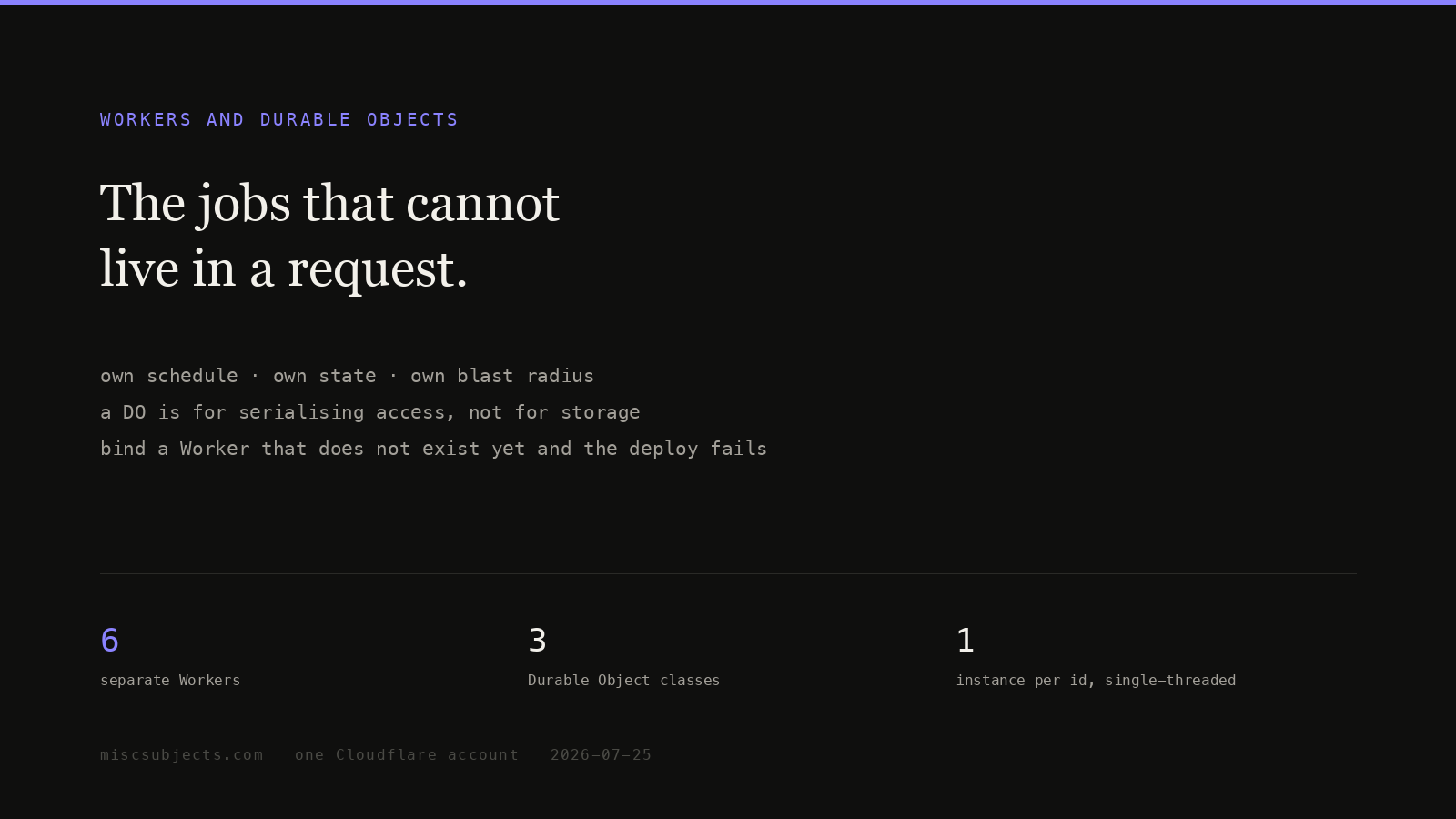
Most of a Cloudflare build is one Pages deployment answering one request and forgetting everything between requests. Some jobs cannot be written that way: a schedule with no caller, a counter two clients must not race on, a timer that fires in four hours, a session that remembers what it did last turn. Those need a Worker of their own, and sometimes a Durable Object.
A Durable Object is the expensive answer. It is also the one that produced a $34,895 invoice for a founder with zero users. Read the money section before you write the alarm.
Evidence status
Observed marks first-party measurements or runtime receipts from the named environment. Derived marks arithmetic calculated from cited inputs. Specified marks vendor or standards documentation. Implemented and deployed name code and live-state evidence, respectively. Reproduced means the stated procedure was rerun. Externally attested marks operator reports; those reports show that an experience occurred, not that it is universal.
Three things can serve a request, and only one of them remembers
| Pages Function | Standalone Worker | Durable Object | |
|---|---|---|---|
| Who addresses it | a URL path on the Pages project | its own route, workers.dev name, or a service binding | a Worker holds a stub obtained from an id; it has no public address |
| Holds state | no | no | yes: private SQLite storage, plus in-memory state while awake |
| Survives the request | no | no, unless woken by cron, a queue, or email | yes; stays in memory until idle, hibernates, reconstructed on next request |
| How many run at once | as many as there is traffic | as many as there is traffic | exactly one per id, worldwide, single-threaded |
| Billed as | Workers requests + CPU time | Workers requests + CPU time | its own line: requests, wall-clock duration at 128 MB, per-row storage |
| Woken by | an HTTP request | HTTP, scheduled, queue, email | a request from a Worker, or its own alarm |
Rows three and four decide it. If two callers must not interleave on the same piece of state, you need something that exists exactly once and runs one thing at a time. That is a Durable Object, and nothing else on the platform is that.
Storage alone is not a reason. D1 and KV already store things and cost less to operate. Scheduling alone is not a reason: a cron trigger on a plain Worker is cheaper, and queues, workflows and cron covers which of those three fits.
A Durable Object is one addressable single-threaded instance, and D1 is one of them
Cloudflare's concepts page: "Each Durable Object has a globally-unique name, which allows you to send requests to a specific object from anywhere in the world," and "Durable Objects are single-threaded and cooperatively multi-tasked, just like code running in a web browser."
Precisely, in the order the pieces matter:
- A namespace is a class you exported and declared in your Wrangler config.
DirectoryDOis a namespace. - An id picks one instance inside it.
env.DIRECTORY_DO.idFromName('main')derives the same id from the same string every time, anywhere on earth. - The instance for that id exists exactly once. Requests queue; they do not run concurrently.
- Its storage is private to that id. Nothing else reads it except by asking that instance.
- Its location is fixed near wherever it was first created, and does not move.
Point 5 is the cost nobody plans for. A Durable Object is not at the edge the way a Worker is. The community tracker at where.durableobjects.live, which continuously creates and destroys objects to sample placement, reported Durable Objects available in 10.8% of Cloudflare points of presence on the day this page was measured. Your Worker runs next to the reader; the object it talks to may not.
The Workers architect is blunter than the documentation about what a Durable Object is relative to D1:
I'll let you in on a sort of dirty secret: It's almost always better to use Durable Objects storage, rather than D1. Even if you only want a single global database, it's better to implement that as a singleton Durable Object, than by using D1. Because that's all D1 itself actually is: a singleton Durable Object that exposes an API to its SQLite database. It's just a wrapper.
Follow the reasoning, not the authority. The argument is about round trips: with raw Durable Objects your query code runs on the same machine as the SQLite file, so a chain of queries is local. With D1 the Worker crosses the long-haul network per hop. One query per request and the two are equivalent. Two or more in series and the Durable Object wins by however many round trips it removes.
He grants D1 one advantage, and it is real: "D1's read replica support still isn't exposed in a way that you can use it in raw Durable Objects, so if you are using that, it's a legitimate advantage to D1."
So: read-heavy, globally distributed reads of the same data, no serialisation requirement means D1 with replicas. Write-serialised, per-entity, chained queries mean Durable Object. That is the whole split.
The counterweight, from a reply on the same thread, is that the advice is not reaching the tools people build with: "Pages were slow due to the multiple round trips to storage on each page since Claude Code used D1. Despite repeated prompting Claude Code had no suggestions for how to improve within the CF platform."
$34,895 with zero users: an alarm that rescheduled itself on every wake-up
The most useful thing on this page. A pre-launch solo founder published the whole postmortem in April 2026.
My DO agent's onStart() handler called this.ctx.storage.setAlarm() on every wake-up without checking whether an alarm was already scheduled.
The mechanism, step by step:
onStart()runs every time the object wakes, including after hibernation and including after the alarm handler woke it. The constructor runs before the alarm handler, so an unconditionalsetAlarm()in startup code re-arms on every tick.- Each preview deployment gets its own Durable Object instances. Sixty-plus previews meant sixty-plus independent copies of the loop, none of them on the production dashboard the founder was watching.
- The loop peaked at roughly 930 billion row reads per day on 4–5 April.
- It ran 3 April to 11 April before it was found. The invoice was $34,895, due 15 April, with zero users.
- Nothing warned: "Cloudflare's Workers Usage Notifications only monitors CPU time. Not Durable Object row reads or writes. There is also no hard spending cap for DO operations available in the dashboard or Wrangler config."
The published fix, verbatim from the post:
// Before (dangerous)
async onStart() {
  await this.ctx.storage.setAlarm(Date.now() + 60_000)
}

// After (safe)
async onStart() {
  const existing = await this.ctx.storage.getAlarm()
  if (!existing) {
    await this.ctx.storage.setAlarm(Date.now() + 60_000)
  }
}Cloudflare documents the trap in a callout most people never reach: "If you wish to call setAlarm inside the constructor of a Durable Object, ensure that you are first checking whether an alarm has already been set. This is due to the fact that, if the Durable Object wakes up after being inactive, the constructor is invoked before the alarm handler."
Four rules follow, in the order to apply them:
- Never call
setAlarm()without readinggetAlarm()first, anywhere that can run more than once: constructor,onStart,blockConcurrencyWhile. All of them run on every wake. - Bound the frequency and the number of ticks. An alarm that re-arms forever is an infinite loop with a billing meter. Give it a step cap and a terminal state.
- Strip Durable Object bindings from preview environments, or accept that every preview is production as far as the meter is concerned. A preview creates real objects with real storage on the real bill.
- Put a budget alert on the account, because the platform will not. The usage notification you already have watches CPU time, not row operations.
Alarms fail in two documented ways, and both are silent
The API reference states the contract: "Each Durable Object is able to schedule a single alarm at a time by calling setAlarm()," and "The alarm() handler has guaranteed at-least-once execution and will be retried upon failure using exponential backoff, starting at 2 second delays for up to 6 retries." Six retries is the entire budget.
One: alarms stop after a code reload in local development. Filed against cloudflare/workerd:
The alarm triggers as expected, but as soon as the code has changes and the worker reloads, then the alarm stops triggerring.
The alarm is still visible via ctx.storage.getAlarm(); it simply never fires again until the dev server restarts. Practical consequence: "my alarm stopped" in wrangler dev is not evidence of a bug in your code. Restart the dev server before debugging anything.
Two: one past timestamp in storage deadlocks scheduling forever. Filed against opennextjs/opennextjs-cloudflare:
IfnextAlarmis a past timestamp, no new alarm is set, creating a deadlock wherealarm()never fires and tags accumulate in the database.
The shape is a scheduling guard that reads the stored alarm, sees a value, and skips setting a new one. If the previous handler died after storing a timestamp but before clearing it, that stale past value is permanent, and every later call reads it and does nothing. One transient failure buys a permanent silent outage.
A guard that survives both cases has to check not just that an alarm exists but that it is still in the future:
const MIN_INTERVAL_MS = 30_000;

async scheduleNext(delayMs) {
  const runAt = Date.now() + Math.max(delayMs, MIN_INTERVAL_MS);
  const existing = await this.ctx.storage.getAlarm();
  // Non-null is not enough: a past timestamp means nothing is scheduled.
  if (existing !== null && existing > Date.now()) return;
  await this.ctx.storage.setAlarm(runAt);
}

async alarm() {
  try {
    await this.doWork();
  } catch (err) {
    // Six retries is the platform budget. Re-arm inside the handler so a long
    // downstream outage cannot exhaust it and leave the object unscheduled.
    await this.ctx.storage.setAlarm(Date.now() + 60_000);
    throw err;
  }
}The catch block is Cloudflare's own recommendation: "it's recommended to catch any exceptions inside your alarm() handler and schedule a new alarm before returning if you want to make sure your alarm handler will be retried indefinitely."
WebSockets bill for wall-clock time, and the documented fix is a rewrite
A Durable Object is the natural place to terminate WebSockets because one object holds every connection for one room. The billing consequence is stated in the pricing footnotes: "Calling accept() on a WebSocket in an Object will incur duration charges for the entire time the WebSocket is connected."
Duration is charged at 128 MB regardless of actual use. One idle socket held open for a month is 2,592,000 s × 128 MB ÷ 1 GB = 331,776 GB-s, most of the 400,000 GB-s monthly allowance consumed by one connection doing nothing.
The Hibernation WebSocket API exists for this. Cloudflare marks it recommended and describes it as the one that "allows the Durable Object to hibernate without disconnecting clients when idle." Their own worked example: 100 objects × 100 sockets each, one message per minute, costs $138.65 per month on plain WebSockets and $10.00 per month with hibernation, because the object is billed for the 10 ms per message rather than the whole month.
The gap between the documented fix and the shipped fix is where people get stuck:
I have a Cloudflare Worker that uses Durable Objects and WebSocket. However, the costs of WebSocket are high, so I decided to implement the Websocket Hibernation API
That poster hit the cost, read the recommendation, and could not get the hibernation code working at all. Both halves are true: hibernation is the right answer, and it is a rewrite rather than a flag. acceptWebSocket() replaces accept(), event listeners become webSocketMessage / webSocketClose / webSocketError methods on the class, and per-connection state must move into serializeAttachment() because the object is rebuilt from its constructor after every hibernation.
What it costs, at today's published rates
| Line | Free plan | Paid plan | Notes |
|---|---|---|---|
| Durable Object requests | 100,000 / day | 1 million / month, then $0.15 / million | HTTP requests, RPC sessions, WebSocket messages and alarm invocations all count |
| Durable Object duration | 13,000 GB-s / day | 400,000 GB-s / month, then $12.50 / million GB-s | Wall clock while active or ineligible for hibernation, billed at 128 MB whatever you use |
| SQLite rows read | 5 million / day | first 25 billion / month, then $0.001 / million | The line the $34,895 invoice ran up |
| SQLite rows written | 100,000 / day | first 50 million / month, then $1.00 / million | A thousand times the read rate. Each setAlarm is a write |
| SQLite stored data | 5 GB total | 5 GB-month, then $0.20 / GB-month | An empty SQLite database is about 12 KB |
| Incoming WebSocket messages | — | billed 20:1 as requests | 100 incoming messages bill as 5 requests |
| Plain Worker requests | 100,000 / day | 10 million / month, then $0.30 / million | Separate from Durable Object requests |
| Plain Worker CPU time | 10 ms / invocation | 30 million CPU-ms / month, then $0.02 / million CPU-ms | Time waiting on I/O is not billed |
| Account minimum | — | $5 / month | Applies whatever the usage |
Arithmetic for a stated workload: one Durable Object per user session, 10,000 sessions a day, 20 requests each, 200 ms of active wall clock per request, three row reads and one row write per request:
- Requests: 10,000 × 20 × 30 = 6,000,000 / month. (6,000,000 − 1,000,000) × $0.15 ÷ 1,000,000 = $0.75
- Duration: 6,000,000 × 0.2 s = 1,200,000 s × 128 MB ÷ 1 GB = 153,600 GB-s, under the 400,000 allowance = $0.00
- Rows read: 18,000,000 / month against 25 billion included = $0.00
- Rows written: 6,000,000 / month against 50 million included = $0.00
- Account minimum: $5.00
- Total: $5.75 / month.
Now the same rates against the runaway. 930 billion row reads in one day, priced past the monthly allowance at $0.001 per million, is $930 for that day's reads alone. The published invoice was $34,895 over eight days and the postmortem does not break out writes. Writes cost $1.00 per million, a thousand times the read rate, and every setAlarm is a write. A loop that writes as well as reads reaches five figures in days. The distance between $5.75 and $34,895 is one missing getAlarm().
The case for and against, from people running them
The strongest positive is scale with a cost claim attached:
We serve multi million MAU on sqlite orchestrated through durable objects. It's not the most complex thing in the world but it goes further than CRUD. It costs us such a small amount of money for what it does.
The same commenter says a Postgres cluster was the expensive thing this replaced. Note what makes it work: many small objects, each holding one tenant's data, none holding a socket open. The bill is dominated by requests, and requests are $0.15 per million.
The second positive comes with a boundary the author draws himself, which is the more useful part:
DO alarms handle the time-based stuff (fleet arrivals, combat resolution, resource ticks) so there's no persistent connection cost. so far costs have been negligible
And immediately after, unprompted: "websockets + stateful server would be the right call for anything realtime. for tick-based strategy with hour-long timers, DOs feel like the cleanest fit."
That is the honest rule. Alarms are cheap because the object sleeps between them. WebSockets are expensive because the object cannot sleep. A game whose actions resolve over hours pays almost nothing; the same game in real time pays duration for every connected second.
Against, at the same scale: the billing blast radius has no ceiling. No hard spending cap for Durable Object operations exists in the dashboard or in Wrangler, the usage notification watches CPU rather than rows, and previews are indistinguishable from production on the meter. Both things hold at once. Choose Durable Objects for what they are good at, and put your own kill switch on the account, because the platform does not ship one.
Seven Workers sit outside the main deployment, each for a stated reason
This application runs one Pages project with 387 handlers, covered in Functions as the request layer, plus seven Wrangler configurations for standalone Workers.
| Worker | Config | Why it cannot be a Pages Function |
|---|---|---|
loop-safe-sibling | workers/sibling/wrangler.toml | Cron triggers /1 and 0 4 , a queue consumer on loop-tasks, an email handler, two Workflow classes and two Durable Object classes. A Pages project has no timer, no queue consumer and no inbound email handler |
loop-safe-directory-do | workers/directory-do/wrangler.toml | Hosts the DirectoryDO class. Durable Object classes must live in a Worker script; Pages binds to them by script_name and cannot define them |
loop-safe-storage | workers/storage/wrangler.toml | workers_dev = false, reachable only through the STORE service binding. Keeps bulk R2 traffic and its D1 index off the request path and off the public surface |
miscsubjects-mcp | workers/mcp-server/wrangler.jsonc | A different protocol for a different kind of client, with its own MiscsubjectsMCP Durable Object per session, versioned separately from the site |
loop-meta-bridge | workers/meta-bridge/wrangler.toml | workers_dev = false, no public route. Binds three vendor secrets from Secrets Store by reference, so no copy of the token exists in the Pages project |
oip-peer | workers/oip-peer/wrangler.toml | The second federation node. A separate registrable domain is the point; a peer boundary that shares a deployment is not a peer boundary |
miscsubjects-robots | workers/robots-fix/wrangler.toml | One route, miscsubjects.com/robots.txt, one file. No reason to redeploy 387 handlers to change one text file |
Four Durable Object classes are declared across those configs. Counted directly:
$ grep -rn "^export class" workers/*/src/index.*
workers/directory-do/src/index.js:14:export class DirectoryDO {
workers/mcp-server/src/index.ts:15:export class MiscsubjectsMCP extends McpAgent<Env> {
workers/sibling/src/index.js:35:export class DeliverWorkflow extends WorkflowEntrypoint {
workers/sibling/src/index.js:65:export class SelfTestWorkflow extends WorkflowEntrypoint {
workers/sibling/src/index.js:114:export class ExpertDO {
workers/sibling/src/index.js:139:export class AgentDO {The binding-order failure: a deploy that errors on a binding to a script never uploaded
A Durable Object binding in a Pages project names another Worker by script name:
[[durable_objects.bindings]]
name = "DIRECTORY_DO"
class_name = "DirectoryDO"
script_name = "loop-safe-directory-do"Symptom. The Pages deploy fails at the binding step, or succeeds and then every request touching the binding returns a 500. It reads like a malformed configuration file. The TOML is correct.
Cause. script_name is a reference to a Worker that must already exist on the account. Deploy Pages first and there is nothing for the binding to point at. Same for [[services]]: this project binds STORE to loop-safe-storage and META_BRIDGE to loop-meta-bridge, both references, not definitions.
Fix. A fixed deploy order, recorded in the config file itself so nobody has to remember it:
# 1. every referenced Worker first
cd workers/directory-do && npx wrangler deploy
cd ../storage           && npx wrangler deploy
cd ../meta-bridge       && npx wrangler deploy
# 2. schema, if the deploy needs it
npx wrangler d1 execute loop-content-spine --remote --file=migrations/<file>.sql
# 3. the Pages project last
npx wrangler pages deploy publicThe handler in front of the binding names the failure instead of throwing a generic 500, which turns a lost afternoon into a ten-second diagnosis. See functions/api/durable/[[path]].js, lines 28–32:
if (!env.DIRECTORY_DO) {
  return new Response(JSON.stringify({ ok: false, error: 'DIRECTORY_DO binding missing — deploy loop-safe-directory-do and add the Pages binding' }), {
    status: 500, headers: { 'content-type': 'application/json' },
  });
}Do the same for every binding you take. Three lines that name the missing Worker pay for themselves the first time.
There is a quieter version of the same class of bug: two copies of one binding drifting apart. This build had one vendor token bound by reference in loop-meta-bridge and a second copy held as a Pages environment variable. The bridge copy stayed fresh; the Pages copy expired, and everything reading the Pages copy failed while everything reading the bridge worked. Bind by reference from one place, and keep no second copy.
What a real Durable Object in this build does, read from the source
workers/directory-do/src/index.js is 102 lines and shows the whole shape of a minimal Durable Object.
Lines 14–27: schema on construction. The class takes state and env, grabs state.storage.sql, and wraps its CREATE TABLE IF NOT EXISTS calls in state.blockConcurrencyWhile(). That wrapper is the safety: no request is served until the callback resolves, so no handler can see a half-built schema. Two tables exist: slugs, a registry of declared internal addresses, and intents, an append-only log of every mutation.
Lines 54–66: a write that is safe because there is only one writer. slug.register reads the existing row to preserve its original declared_at, writes with INSERT OR REPLACE, then appends to intents. Those reads and writes cannot interleave, because exactly one instance exists for the id main and it is single-threaded. Written against D1 the same sequence is a read-modify-write race needing a transaction or a version column.
Lines 85–95: how a caller reaches it. env.DIRECTORY_DO.idFromName('main') derives the id, .get(id) returns a stub, stub.fetch() sends a request. The URL passed to the stub is a fabricated https://do/; the hostname is meaningless, only path and query reach the object.
Contrast AgentDO in workers/sibling/src/index.js, lines 139–200: an alarm-driven loop, the risky shape. It survives the $34,895 failure mode for four nameable reasons.
setAlarm()is called inspawn(once per agent), insend/resumeonly when the status is not alreadyrunning, and at the end ofalarm(), never in the constructor.alarm()returns immediately ifstatus !== 'running', so a killed or completed agent stops re-arming.maxStepsis clamped to at most 40 withMath.min(Math.max(parseInt(b.maxSteps || '12', 10) || 12, 1), 40), andalarm()setsstatus = 'done'oncesteps >= maxSteps. The loop is bounded by construction.killcallsthis.state.storage.deleteAlarm().
That is what "bound the alarm" means in code. It is still not fully defended: a setAlarm added to the constructor tomorrow reintroduces the bug. That is why the getAlarm() guard above belongs in any new class.
Measured here: the Durable Object hop is not the latency you think it is
Three first-party measurements, with the commands, so they can be rerun.
1: every Worker on the account and when it last shipped. From the repository root, wrangler 4.103.0:
$ for w in loop-safe-sibling loop-safe-directory-do loop-safe-storage \
           miscsubjects-mcp miscsubjects-robots loop-meta-bridge oip-peer; do
    printf "%-28s " "$w"
    npx wrangler deployments list --name "$w" | grep -m1 "^Created:"
done| Worker | Latest deployment created |
|---|---|
loop-safe-sibling | 2026-07-03T03:32:24Z |
loop-safe-directory-do | 2026-06-13T23:24:17Z |
loop-safe-storage | 2026-06-16T18:59:19Z |
miscsubjects-mcp | 2026-06-20T19:19:34Z |
miscsubjects-robots | 2026-07-01T08:30:03Z |
loop-meta-bridge | 2026-07-12T03:13:16Z |
oip-peer | 2026-07-15T20:44:30Z |
The Durable Object host has not been redeployed since June and does not need to be — a bound Durable Object Worker changes only when its class changes.
2 — round-trip latency, and a measurement error corrected in public. Ten sequential requests to /robots.txt (a standalone Worker, no bindings) gave a 164 ms median; ten to /api/durable/ping (a Pages Function calling a Durable Object stub) gave 643 ms. That looks like a 4x penalty for the Durable Object hop. It is not. The two blocks ran minutes apart and the difference is client network drift. Rerun interleaved — one request to each per iteration, twelve iterations — and it disappears:
$ for i in $(seq 1 12); do
    a=$(curl -s -o /dev/null -w "%{time_total}" https://miscsubjects.com/robots.txt)
    b=$(curl -s -o /dev/null -w "%{time_total}" https://miscsubjects.com/api/map)
    c=$(curl -s -o /dev/null -w "%{time_total}" https://miscsubjects.com/api/durable/ping)
    echo "$a $b $c"
done| Endpoint | n | min | median | p90 | max |
|---|---|---|---|---|---|
/robots.txt — standalone Worker, no bindings | 12 | 108 ms | 272 ms | 673 ms | 1294 ms |
/api/map — Pages Function, no Durable Object | 12 | 159 ms | 237 ms | 585 ms | 1301 ms |
/api/durable/ping — Pages Function → Durable Object | 12 | 154 ms | 276 ms | 381 ms | 748 ms |
The three are indistinguishable at this sample size, and the Durable Object path has the tightest tail. Honest conclusion: on this deployment, from this client, the Durable Object hop is buried inside ordinary network variance. The method matters more than the number — measure interleaved, or publish your own jitter as a platform finding.
3 — the object's real state, read live. The Pages front door at /api/durable/* forwards to the stub, so a plain GET reads what the object holds:
$ curl -s https://miscsubjects.com/api/durable/ping
{"ok":true,"do":"DirectoryDO","id":"61f9320db3f158babd018d01b56ca7db4434be41d738fc4dbc294ef21d45d883","ts":"2026-07-26T04:40:18.284Z"}

$ curl -s https://miscsubjects.com/api/durable/slug.list | python3 -c "import json,sys; print(json.load(sys.stdin)['count'])"
54Fifty-four slugs in the registry; the intents log returns 157 rows against its LIMIT 200. The id is the 64-hex object id derived from the name main — the same string every time, from anywhere, which is the addressing property the whole design rests on.
Which one to reach for
| The job | Choose | Why |
|---|---|---|
| Answer an HTTP request for the site | Pages Function | Already deployed with the site, shares its bindings, no extra address to maintain |
| Run something on a timer | standalone Worker with a cron trigger | A Pages project has no timer, and nothing about a schedule needs state |
| Drain a queue | standalone Worker with a queue consumer | Pages projects can produce to a queue but cannot consume from one |
| Serve one endpoint that changes on a different cadence than the site | standalone Worker on a route | A deploy boundary is a blast-radius boundary |
| Serialise writes to one entity — a counter, a room, a document | Durable Object | The only thing on the platform that exists exactly once and runs one thing at a time |
| Hold a session's working memory across many calls | Durable Object | In-memory state survives between requests; storage survives hibernation |
| Chain three or more queries for one request | Durable Object with SQLite storage | Query code runs on the same machine as the file, so the chain is local |
| Serve the same read-heavy data globally | D1 with read replicas | The one advantage the architect grants D1 over raw Durable Objects |
| Real-time bidirectional messaging | Durable Object with the Hibernation WebSocket API | Duration billing on a plain accept() socket is the most expensive mistake available |
| A long multi-step job that must survive failure | a Workflow, not a Durable Object | Covered in queues, workflows and cron |
Symptom, cause, fix
| Symptom | Cause | Fix |
|---|---|---|
| Pages deploy errors on a binding, or every request touching it 500s | script_name / service points at a Worker not yet uploaded | Deploy the referenced Workers first, Pages last. Add an if (!env.BINDING) branch that says so |
{"ok":false,"error":"DIRECTORY_DO binding missing — deploy loop-safe-directory-do and add the Pages binding"} | The Durable Object host Worker is absent from the account or the environment | cd workers/directory-do && npx wrangler deploy, then redeploy Pages |
| Row reads climb with no traffic | setAlarm() called unconditionally somewhere that runs on every wake | Guard with getAlarm(), and verify the stored value is in the future, not merely non-null |
| The bill is large and the production dashboard looks quiet | Preview deployments created their own Durable Object instances | Strip Durable Object bindings from preview environments, or count previews as production |
| A background job silently stopped and never restarts | A failed handler left a past timestamp; the scheduling guard reads it as "already scheduled" | Treat existing <= Date.now() as unscheduled and set a new alarm |
Alarm fires once in wrangler dev, then never again after an edit | Hot reload drops the alarm while getAlarm() still reports it — workerd issue 3566 | Restart the dev server. Do not debug your code first |
| Alarm stops after roughly six failures | Retry budget exhausted — six retries, exponential backoff from 2 s | Catch inside alarm(), set a new alarm, then rethrow |
| WebSocket bill dominated by duration, not messages | accept() keeps the object in memory for the whole connection | Move to acceptWebSocket() plus webSocketMessage / webSocketClose handlers and serializeAttachment() |
| A Durable Object stays billed with no requests arriving | An outbound connect() or WebSocket holds it in memory for up to 15 minutes per connection | Close outbound connections when the work is done |
| Two copies of one secret, one expired | A binding duplicated as an environment variable instead of referenced from one place | Bind by reference from a single Worker and service-bind to it |
Every binding this build declares, and what each costs, is on the Cloudflare OS index.
It's almost always better to use Durable Objects storage, rather than D1. Even if you only want a single global database, it's better to implement that as a singleton Durable Object, than by using D1.— kentonv, Hacker News
References (20)
- What are Durable Objects? — Cloudflare, Jul 26, 2026“allows you to send requests to a specific object from anywhere in the world.”
- Durable Object lifecycle — Cloudflare, Jul 26, 2026“Currently, it is after 10 seconds of inactivity while in this state.”
- Durable Objects pricing — Cloudflare, Jul 26, 2026“Durable Objects that are idle and eligible for hibernation are not billed for duration”
- Durable Object alarms API — Cloudflare, Jul 26, 2026“Alarms have guaranteed at-least-once execution and are retried automatically”
- Use WebSockets with Durable Objects — Cloudflare, Jul 26, 2026“Allows the Durable Object to hibernate without disconnecting clients when idle.”
- Cloudflare Workers pricing — Cloudflare, Jul 26, 2026“10 million included per month”
- Temporary Cloudflare accounts for AI agents — Hacker News, Jun 20, 2026“It's almost always better to use Durable Objects storage, rather than D1. Even if you only want a single global database, it's better to implement that as a singleton Durable Object, than by using D1.”
- Temporary Cloudflare accounts for AI agents — Hacker News, Jun 20, 2026“Pages were slow due to the multiple round trips to storage on each page since Claude Code used D1. Despite repeated prompting Claude Code had no suggestions for how to improve within the CF platform.”
- Durable Object alarm loop: $34k in 8 days, zero users, no platform warning — Hacker News, Apr 16, 2026“My DO agent's onStart() handler called this.ctx.storage.setAlarm() on every wake-up without checking whether an alarm was already scheduled.”
- 🐛 BUG: Durable Object Alarms not triggering after a code reload — GitHub — cloudflare/workerd, May 31, 2024“The alarm triggers as expected, but as soon as the code has changes and the worker reloads, then the alarm stops triggerring.”
- [BUG] Durable Objects alarm not firing due to stale past alarms remaining in storage — GitHub — opennextjs/opennextjs-cloudflare, Oct 7, 2025“no new alarm is set, creating a deadlock where”
- Trying to use Websocket Hibernation Api — Stack Overflow, Jan 7, 2025“I have a Cloudflare Worker that uses Durable Objects and WebSocket. However, the costs of WebSocket are high, so I decided to implement the Websocket Hibernation API”
- SQLite Is All You Need — Hacker News, Jul 17, 2026“We serve multi million MAU on sqlite orchestrated through durable objects. It's not the most complex thing in the world but it goes further than CRUD. It costs us such a small amount of money for what it does.”
- Show HN: I rebuilt a 2000s browser strategy game on Cloudflare's edge — Hacker News, Apr 15, 2026“DO alarms handle the time-based stuff (fleet arrivals, combat resolution, resource ticks) so there's no persistent connection cost. so far costs have been negligible”
- Cron Triggers — Cloudflare, Jul 26, 2026“Cron Triggers allow users to map a cron expression to a Worker using a scheduled() handler that enables Workers to be executed on a schedule.”
- Access Durable Object storage — Cloudflare, Jul 26, 2026“the Durable Object itself, which runs on the same machine as the SQLite database”
- Where Durable Objects Live — Where Durable Objects Live, Jul 26, 2026“Data displayed on this site is updated every 5 minutes.”
- Durable Objects: Easy, Fast, Correct — Choose three — Cloudflare, Jul 26, 2026“Durable Objects: Easy, Fast, Correct”
- Production Worker and Durable Object inventory — miscsubjects.com, Jul 26, 2026“"count":54”
- Live DirectoryDO response — miscsubjects.com, Jul 26, 2026“"do":"DirectoryDO"”